
Download VeepN – Secure VPN, Free, Fast & Private Browsing
Overview – Why VeepN Is the VPN App You’ve Been Waiting For
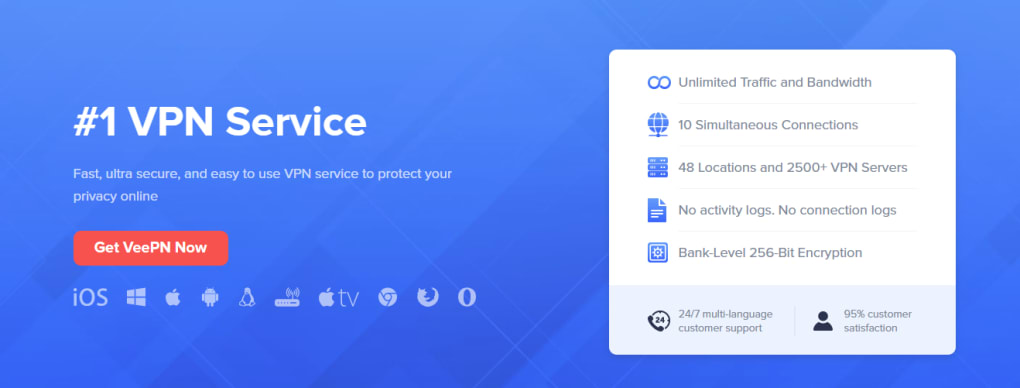
In a world where every click can be tracked, a reliable VPN has become more than a luxury—it’s a necessity. VeepN positions itself as a privacy‑first VPN tool that lets you browse the Internet with added security, protection, and anonymity. Built on a strict No‑Log policy, VeepN promises that none of your personal data or browsing habits are stored, giving you peace of mind when you stream, shop, or work online. With over 2,500 servers in 148 locations, the app offers a global network that balances speed and reliability, ensuring you never have to sacrifice performance for privacy.
The user experience is designed for simplicity: a single‑click connection button automatically selects the most optimal server based on your location and network conditions. Whether you’re a casual user looking for a free, secure connection on a public Wi‑Fi hotspot, or a power user who needs a fast, stable tunnel for gaming and video calls, VeepN adapts to your needs. The app’s lightweight footprint means it runs smoothly on Windows, macOS, Android, and iOS devices without draining battery or consuming excessive system resources.
Beyond basic encryption, VeepN includes built‑in kill‑switch technology, DNS leak protection, and an intuitive interface that removes the guesswork from VPN configuration. Regular updates keep the software current with the latest security standards, and the free tier gives new users a risk‑free way to test the service before opting for a premium plan. In short, VeepN is a versatile, secure, and user‑friendly VPN app that makes private browsing accessible to anyone.
Core Features & Security – What Sets VeetN Apart
- Zero‑Log Policy: VeepN never records your IP address, browsing history, or connection timestamps, guaranteeing true anonymity.
- 2,500+ Servers in 148 Countries: A vast global network provides fast, low‑latency connections for streaming, gaming, and business use.
- One‑Click Auto‑Connect: The app automatically selects the optimal server, removing the need for manual configuration.
- Kill Switch & DNS Leak Protection: Instantly blocks traffic if the VPN drops, preventing accidental data exposure.
- Strong Encryption: Utilizes AES‑256‑GCM encryption and OpenVPN/WireGuard protocols for maximum security.
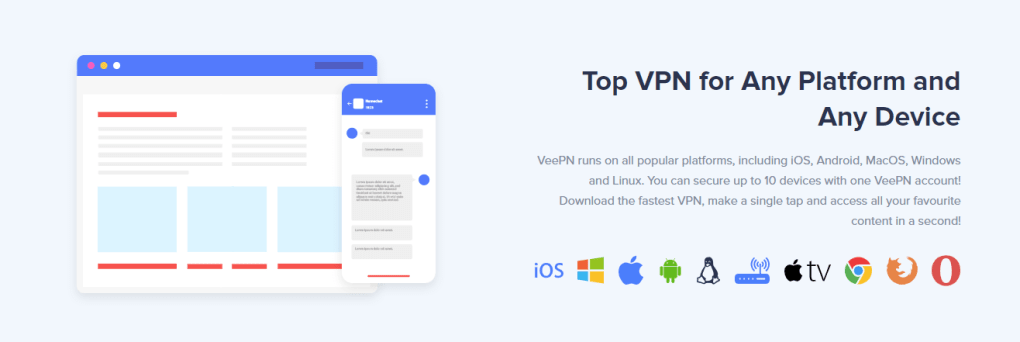
- Multi‑Platform Support: Native apps for Windows, macOS, Android, and iOS with seamless syncing across devices.
- Unlimited Bandwidth (Free Tier): Browse, stream, and download without data caps, even on the free version.
- Regular Automatic Updates: Keeps the software patched against emerging threats and performance improvements.
- Split Tunneling (Premium): Choose which apps use the VPN tunnel, preserving speed for local traffic.
- 24/7 Customer Support: Live chat and email assistance for troubleshooting and configuration help.
Each of these features is designed to address common pain points associated with VPN usage. The zero‑log policy is especially critical for users concerned about surveillance or data mining, while the large server pool reduces congestion and latency. By supporting both OpenVPN and WireGuard, VeepN offers flexibility for users who prioritize speed (WireGuard) or compatibility (OpenVPN). The kill switch acts as a safety net, ensuring that your real IP never leaks if the connection drops unexpectedly.
Security‑savvy users will appreciate the AES‑256‑GCM encryption, which is currently the industry standard for protecting data in transit. Meanwhile, the split tunneling feature in the premium tier empowers power users to route only sensitive traffic through the VPN, freeing up bandwidth for non‑critical apps like local gaming servers or smart home devices.
Finally, VeepN’s commitment to regular updates means the app stays aligned with the latest security protocols and operating system changes. This proactive approach reduces the risk of vulnerabilities that could otherwise compromise your privacy.
Installation, Usage & Compatibility – Getting Started on Any Device
Setting up VeepN is intentionally straightforward, allowing users of all technical levels to secure their connection within minutes. Follow the steps below for a hassle‑free installation on Windows, macOS, Android, or iOS.
Step‑by‑Step Installation Guide
- Download the Installer: Visit the official VeepN website and click the “Download” button for your operating system. The file size is under 30 MB, making it quick to download even on slower connections.
- Run the Installer: On Windows, double‑click the .exe file; on macOS, drag the app to the Applications folder. Android users can install the .apk directly, while iOS users download from the App Store.
- Grant Permissions: The app will request VPN configuration rights. Accept the prompts to allow VeepN to create a secure tunnel.
- Create an Account (Optional): While a free tier is available without registration, creating an account unlocks premium features and syncs your settings across devices.
- Connect with One Click: Open VeepN, press the large “Connect” button, and the app automatically selects the fastest server based on your location.
Using VeepN Effectively
Once connected, the interface displays your new IP address, server location, and connection status. For users who need to switch servers, a dropdown menu lists all available countries, and the “Fastest Server” option quickly finds the optimal route. Premium users can enable split tunneling from the settings panel, choosing specific apps to bypass the VPN.
The built‑in kill switch can be toggled on or off, though it is recommended to keep it enabled for maximum security. If you travel frequently, VeepN’s “Auto‑Reconnect” feature remembers your preferred server and automatically reconnects whenever you join a new network, ensuring continuous protection.
Compatibility Across Platforms
VeepN is engineered to run smoothly on the following operating systems:
- Windows 10, 11 (64‑bit)
- macOS 10.13 and later (Catalina, Big Sur, Monterey, Ventura)
- Android 6.0 and above
- iOS 12 and above (iPhone & iPad)
System requirements are minimal: a device with at least 1 GB RAM and 100 MB of free storage. The app’s low CPU footprint ensures that it won’t interfere with gaming, video conferencing, or other high‑performance tasks. Regular updates are delivered automatically, keeping the software compatible with the latest OS releases.
Pros, Cons & Real‑World Feedback – A Balanced Look at VeepN
Pros
- Strict No‑Log policy protects user privacy.
- Large global server network ensures fast, reliable connections.
- One‑click auto‑connect makes it user‑friendly for beginners.
- Strong AES‑256‑GCM encryption and kill switch enhance security.
- Free tier offers unlimited bandwidth without data caps.
- Cross‑platform support for Windows, macOS, Android, and iOS.
- Regular automatic updates keep the software current.
- Split tunneling in premium version provides advanced control.
- 24/7 customer support resolves issues quickly.
- Lightweight footprint does not drain battery or CPU.
Cons
- Premium pricing is higher than some budget VPNs.
- Free tier lacks advanced features like split tunneling.
- Server selection can be limited in regions with heavy censorship.
- Occasional latency spikes during peak traffic hours.
- No built‑in ad blocker, requiring a separate solution for ad‑heavy browsing.
Overall, user reviews highlight VeepN’s reliability and ease of use. Beginners appreciate the one‑click connection, while tech‑savvy users praise the strong encryption and split tunneling. The primary criticism revolves around the price point of the premium plan, though many find the added features justify the cost.
FAQ – Answers to the Most Common Questions About VeepN
Is VeepN really free to use?
Yes, VeepN offers a free tier with unlimited bandwidth and access to a limited set of servers. The free version provides essential privacy features like encryption and a kill switch, but advanced options such as split tunneling and the full server list require a paid subscription.
How does VeepN ensure my data isn’t logged?
VeepN follows a strict No‑Log policy, meaning it does not store connection timestamps, IP addresses, or browsing activity. The privacy policy is audited by third‑party security firms, and the company publishes transparency reports to verify compliance.
Can I use VeepN on multiple devices simultaneously?
Yes. A single premium subscription allows up to five simultaneous connections across Windows, macOS, Android, and iOS devices. The free tier is limited to one active connection at a time.
What protocols does VeepN support?
VeepN supports OpenVPN (TCP/UDP) and WireGuard. WireGuard offers faster speeds and lower latency, while OpenVPN provides broader compatibility with older devices and restrictive networks.
Is the VPN safe for streaming services like Netflix?
VeepN’s extensive server network includes dedicated streaming servers that can bypass geo‑restrictions on platforms such as Netflix, Hulu, and Disney+. While occasional blacklisting may occur, the auto‑connect feature often finds an alternative server that works.
Conclusion – Secure Your Online Journey with VeepN Today
VeepN delivers a compelling blend of security, speed, and simplicity that makes it a strong contender in the crowded VPN market. Its No‑Log policy, extensive global server list, and one‑click auto‑connect design cater to both novices and power users seeking a reliable privacy tool. While the premium tier carries a higher price tag, the added features—especially split tunneling and dedicated streaming servers—provide tangible value for frequent travelers, remote workers, and streaming enthusiasts.
If you’re looking for a free VPN that doesn’t compromise on encryption, or a premium solution that offers advanced controls and consistent performance, VeepN is worth a download. Install the app today, protect your data on public Wi‑Fi, and enjoy unrestricted access to global content with confidence.
Ready to browse securely? Download VeepN now and experience private, fast, and reliable internet connectivity on Windows, macOS, Android, or iOS.







